


Every quarter, the same deliverable. Same structure, same tabs, same formatting, same KPI definitions — just new numbers. The quarterly board pack is the highest-stakes recurring document in corporate finance, and the process of building it has barely changed in 20 years: pull data from six systems, paste it into last quarter's template, update every reference, cross-check every figure, fix the formatting that broke, and hope nothing slipped through.
The board pack is a coordination problem, not an analysis problem. The actual financial work is straightforward. What kills teams is the assembly — 15 to 30 worksheets, sourced from across the organization, all needing to be consistent, accurate, and presentation-ready before the deadline that never moves.
Viete already handles this. In this case, the team had last quarter's earnings pack on hand — a 15-worksheet workbook built over several quarters by FP&A. Viete's Style feature takes that file apart layer by layer, reverse-engineering the formatting, typography, layout structure, formula logic, currencies, borders, cell dimensions, and conditional rules into a complete, reusable blueprint. When the workflow runs, that blueprint is rebuilt from the ground up using your new source data — adapting where the data demands it. More segments, different shape, additional line items — Viete adjusts the structure while preserving the design language. No existing model to start from? Viete still gets the job done, just without your firm's specific look and feel baked in.
Unlike the monthly management report — where each month's data is appended to an existing, growing workbook — the quarterly board pack is a standalone deliverable. Every quarter starts fresh. Same structure, same design language, but entirely new data from across the organization. This makes it a "Create New" workflow in Viete: the agent builds the entire workbook from scratch each time, guided by a style blueprint and the source files you provide.
This is the original quarterly earnings pack — 15 worksheets covering financials, KPIs, segment breakdowns, and forward outlook:

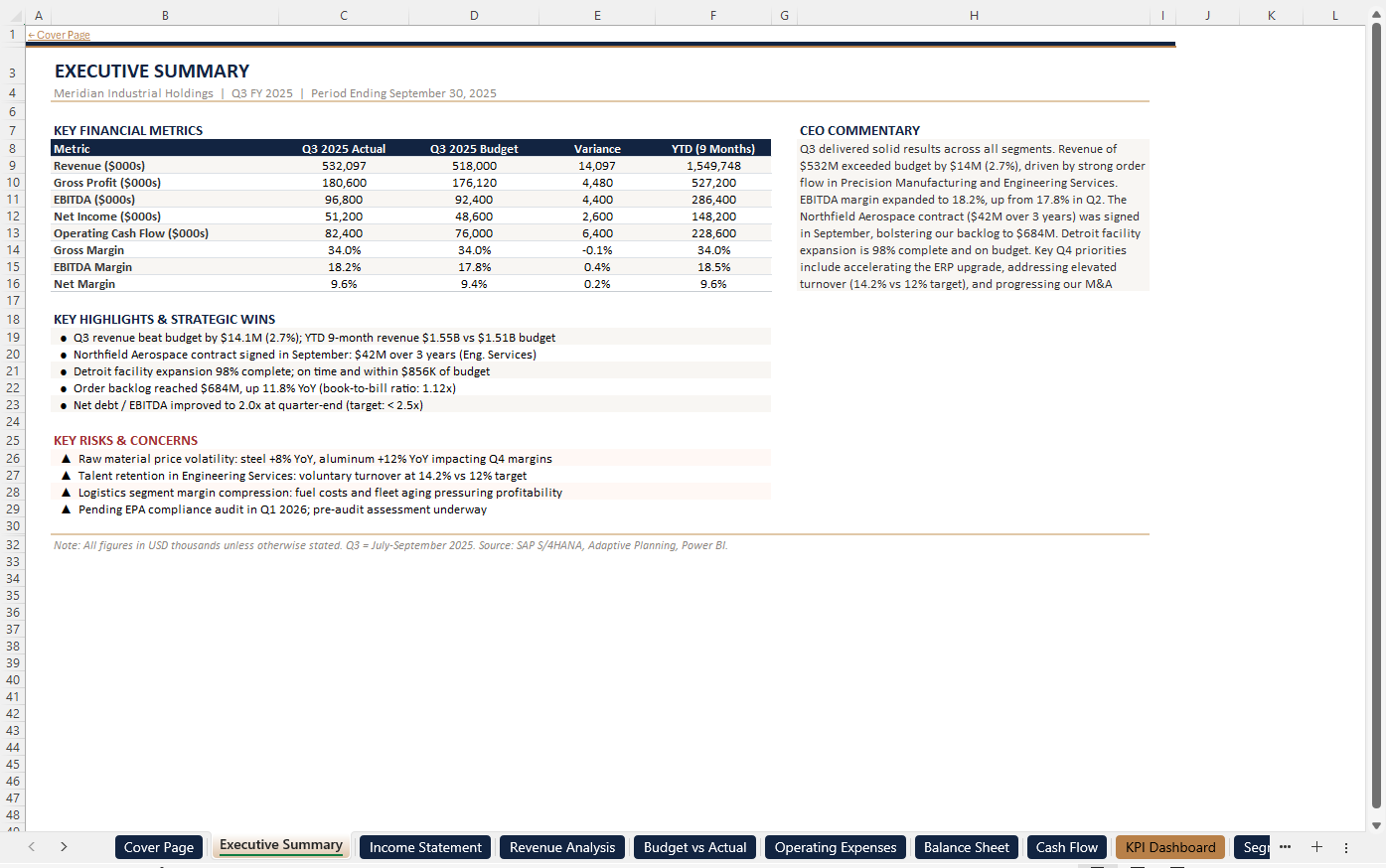


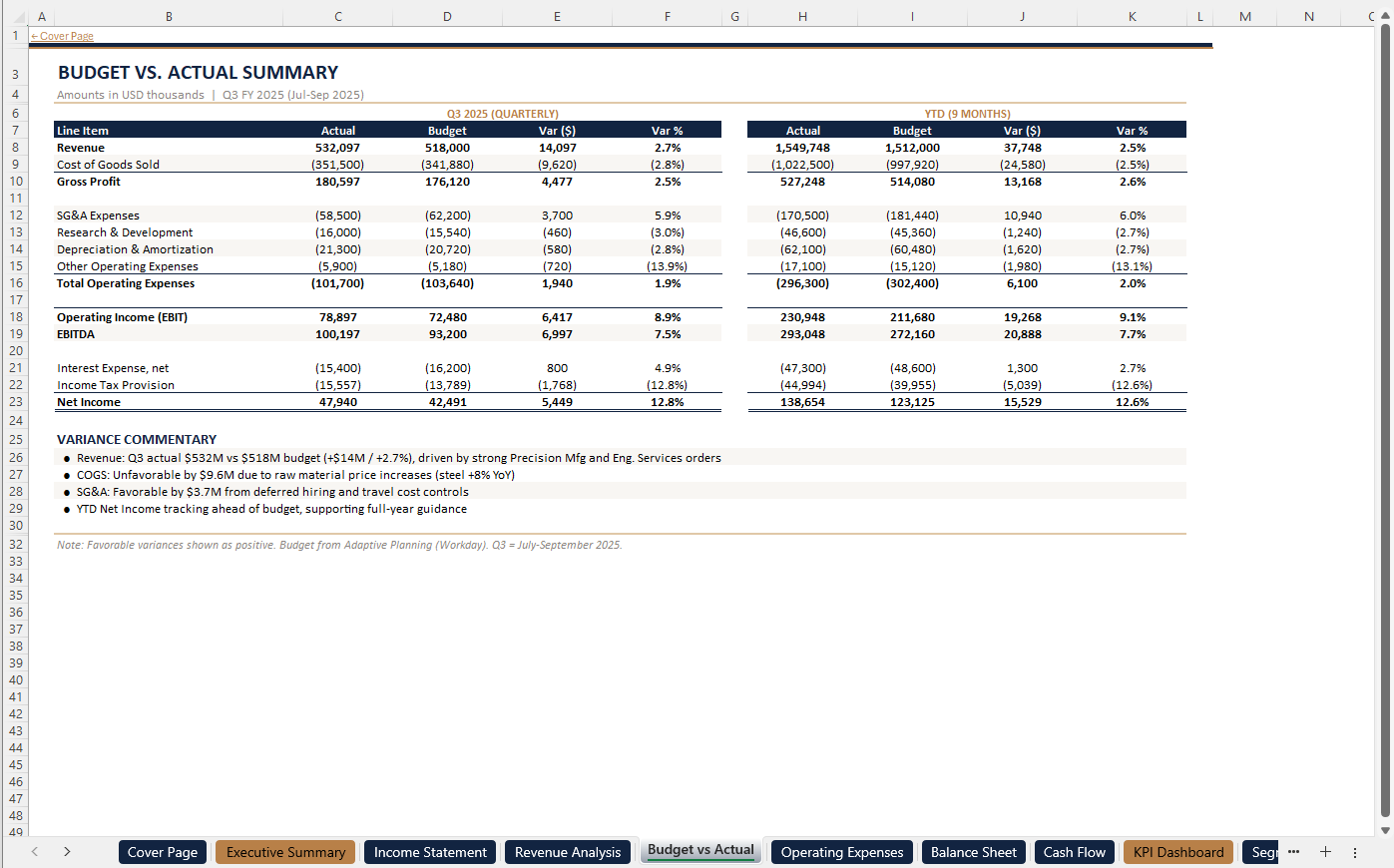


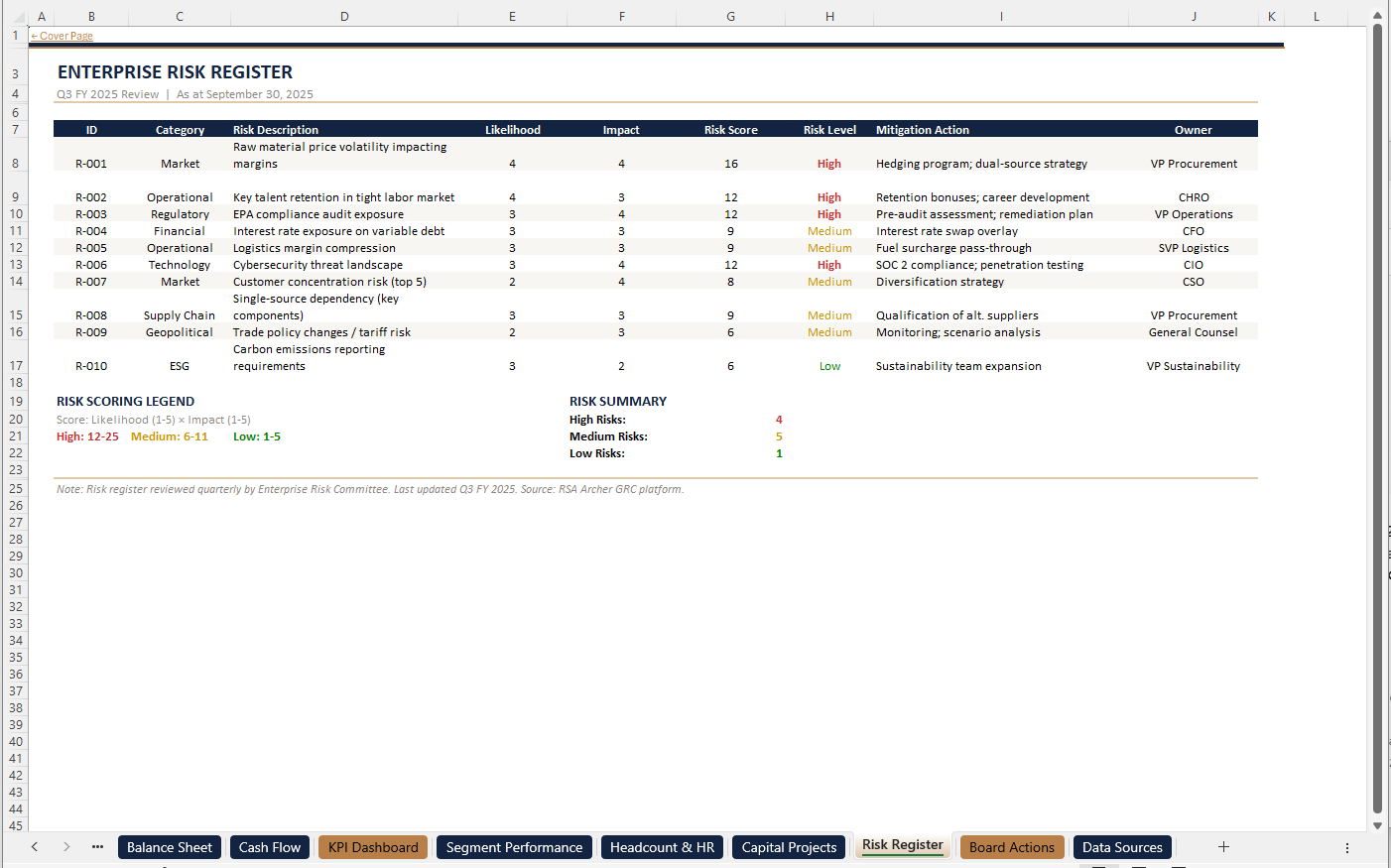


Capturing the design with Style
The first step is teaching Viete what this board pack looks like. Rather than describing the formatting manually — which would be impractical across 15 worksheets with different layouts, merged cells, conditional formatting, and chart styles — you upload the existing file directly. Viete's Style feature reverse-engineers the entire workbook into a structured blueprint that the agent follows when building future packs.
To capture this structure as a reusable style, the file is uploaded through Viete's Style feature:
Upload Excel to Create Style
Selected: Q3_2025_Quarterly_Earnings_Pack.xlsx
The Excel file will be analyzed and converted into a Markdown style that captures:
- Data structure and formatting
- Color schemes and branding
- Typography and styles
- Formulas and calculations
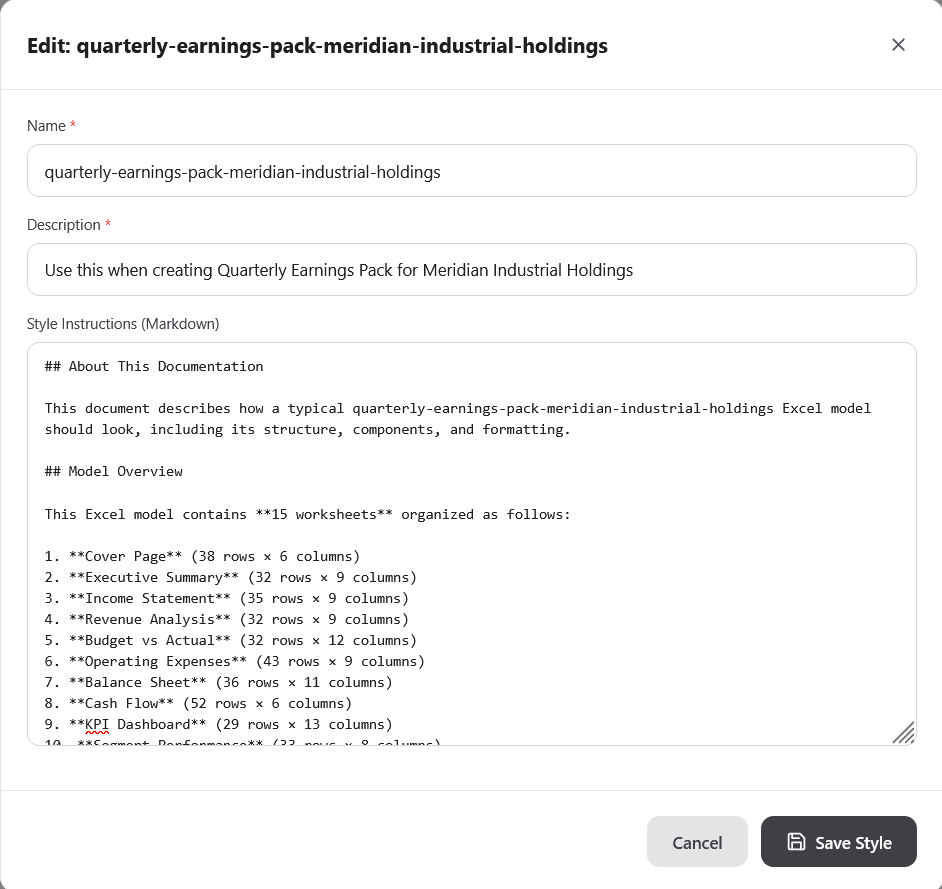
Viete processes every worksheet in the uploaded file and generates a complete style definition — a structured blueprint that captures formatting rules, column layouts, formula patterns, conditional formatting, cell dimensions, color schemes, and typography across all 15 sheets. This is what the output looks like:
Setting up the workflow
With the style captured, the next step is creating the workflow. In Viete, workflows separate what stays the same from what changes. For a quarterly board pack, the style and prompt are static — they define the structure and instructions the agent follows every time. The only variable is the source data, which gets uploaded fresh each quarter.
The workflow configuration makes this explicit: the style and prompt are locked in as static parameters, while file upload is set as the input variable — what the user provides each run:
Edit Workflow
Model Creation
What user provides each run
Same every run (configure below)
Configure Static Values
Running the workflow
Once saved, the workflow appears on your dashboard ready to run. From here, the only thing that changes each quarter is the source files — trial balances, segment P&Ls, cash flow statements, KPI extracts, risk registers, headcount snapshots, and CEO commentary. Upload the new data, select a model tier, and hit run. The agent reads every file, cross-references the data, and builds the entire 15-worksheet board pack from the ground up — following the style blueprint exactly while adapting to whatever the new data demands.
Quarterly Earnings Pack for Meridian Industrial Holdings
CreationCreates Quarterly Earnings Pack Meridian Industrial Holding based off provided source files and given style
Full session
The video below is the full, unedited session at original speed. Viete works autonomously — reading the 16 source files, building each worksheet, applying the style formatting, populating data, constructing charts, running verification passes, and cross-checking figures across sheets until the entire board pack is complete and consistent.
One-time setup, repeatable output
The entire setup — uploading the style, configuring the workflow, writing the prompt — happens once. After that, the quarterly cycle becomes: collect source files from across the organization, upload them, and run. The agent produces a board-ready pack that matches your firm's established design language, with every number traceable to the source data. No copy-paste, no formatting fixes, no formula audits.
For teams that have been building board packs the same way for years, the shift is immediate. The mechanical assembly work that used to consume the first two weeks of every quarter close is eliminated. What remains is the work that actually matters — reviewing the numbers, refining the narrative, and preparing for the board meeting itself.
Q3 vs Q4 — Before & After
Same style, same structure, different data. The Q3 board pack (left) was the style source — the template Viete reverse-engineered. The Q4 pack (right) was built entirely by the agent using fresh source files and the saved workflow. Scroll through both side by side to compare.
Q3 2025 (style source)
Q4 2025 (generated by Viete)


Scroll each side horizontally to compare all 15 worksheets