

The truth is, 90% of your work in Excel is repetitive by design. You don't start with a blank page — you start with an established model, audited formulas, and a structure your leadership trusts. You don't need an AI to "reimagine" your P&L or "generate" a new balance sheet from scratch every month.
After working with dozens of companies, the same pattern keeps emerging: AI that tries to be creative with your financial models just creates more work. New structures nobody asked for. New formulas to audit. Layouts that don't match what the board expects. The verification alone takes longer than doing it yourself.
That's why we've spent most of our time building a system where you set up AI once — in a specific, custom workflow — and it repeats that task reliably every time. Simple building blocks. Clear parameters with clear goals. When the AI receives the same structure and the same type of input each run, the output is predictable and controlled. At this point, we're seeing it work autonomously for hours — running verifications, validating outputs, cross-checking data — until everything is complete and correct. Companies using this today are saving hours of manual work and significant costs every month.
A common denominator across the teams we work with is monthly management reports — where Viete seamlessly adapts to any existing model, follows exact brand guidelines, and maintains the structure leadership already trusts. In this example, we wanted to push it further: what happens when a monthly management report already has all 12 months completed? How would Viete handle rolling into a new fiscal year on an established model?
This is the report we'll be working with — a 15-worksheet monthly management report for a mid-size industrial holding company. The agent has been building this month by month throughout the fiscal year, and we already have the workflow set up and running.
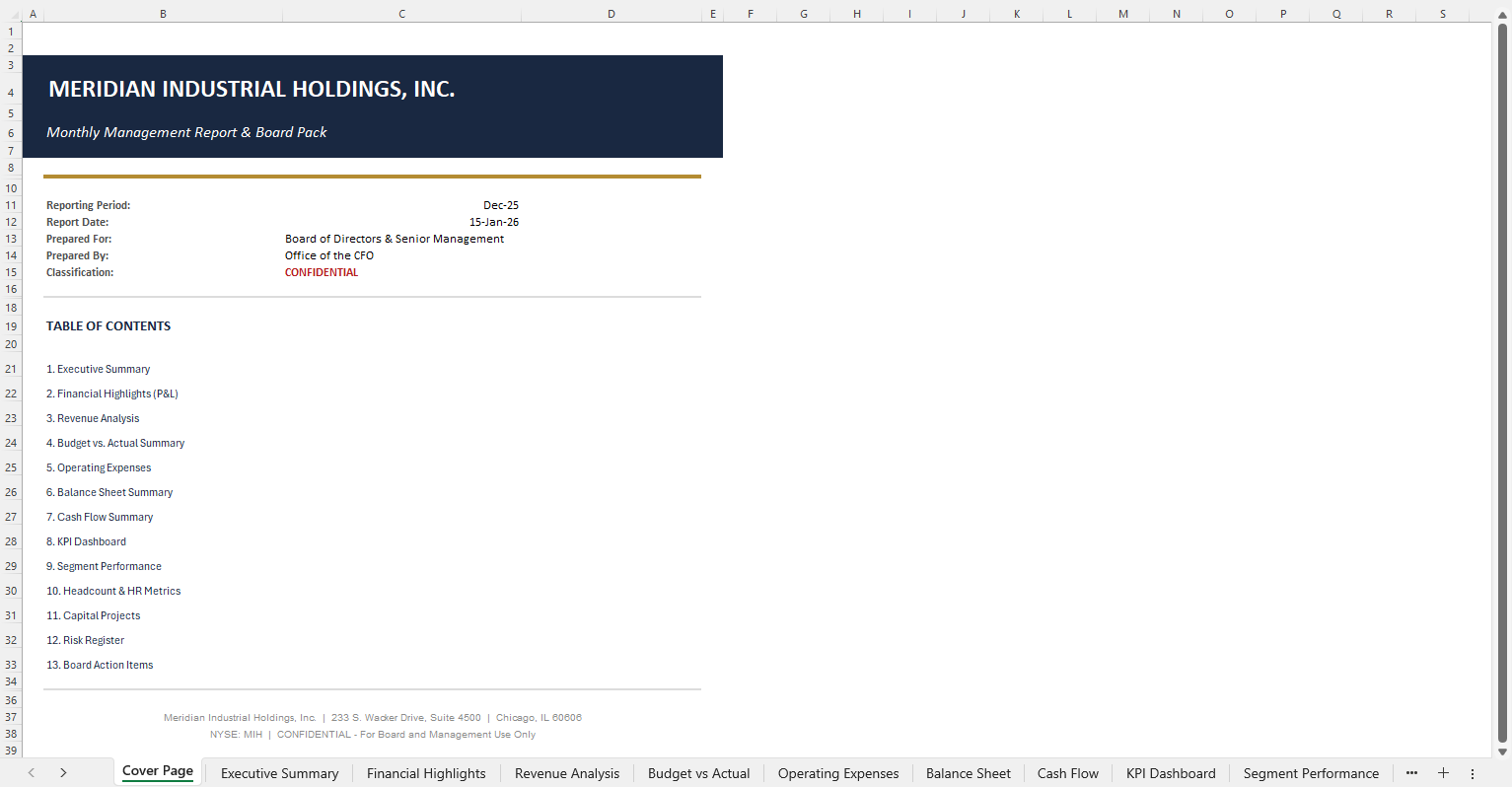
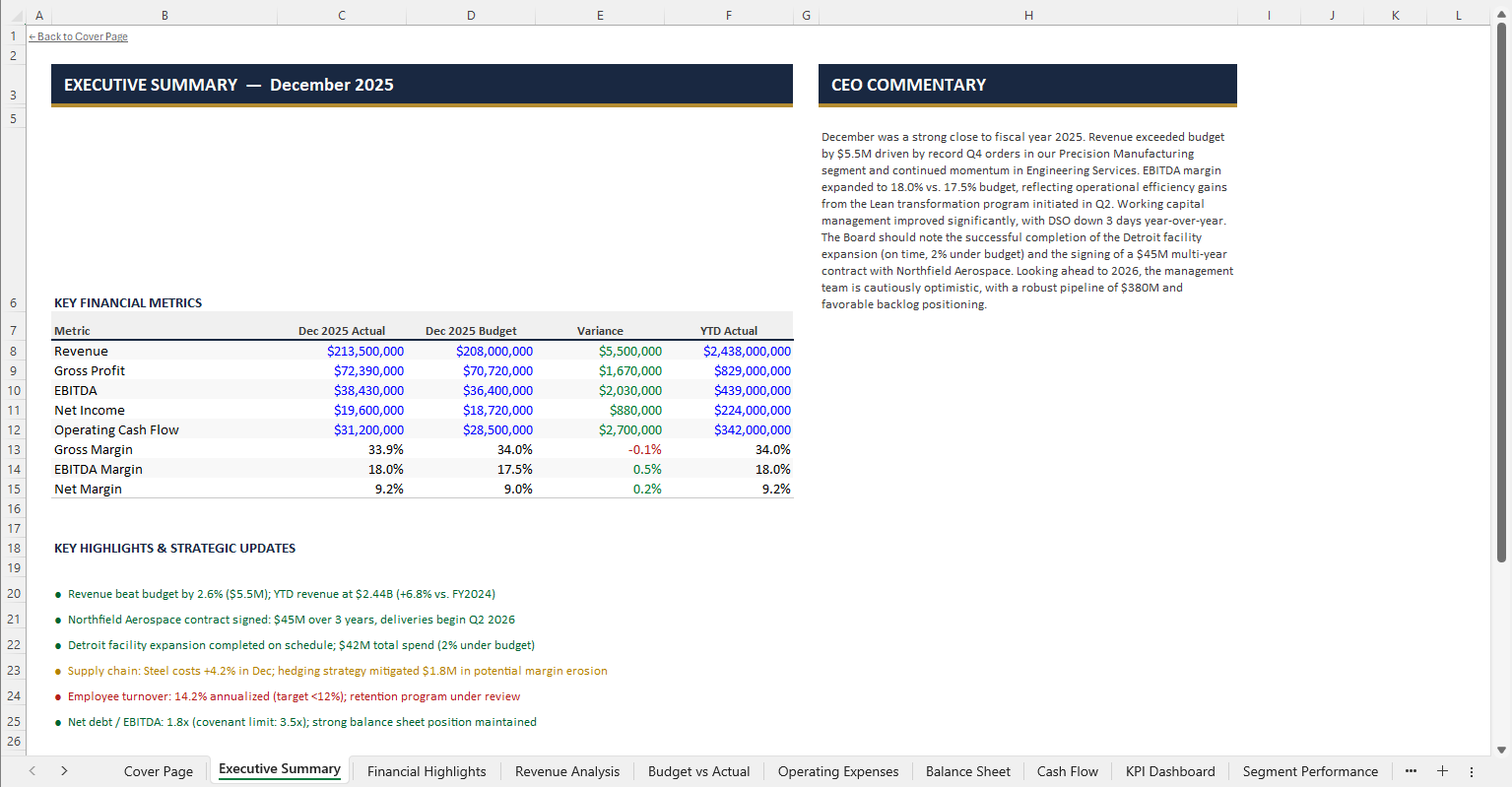
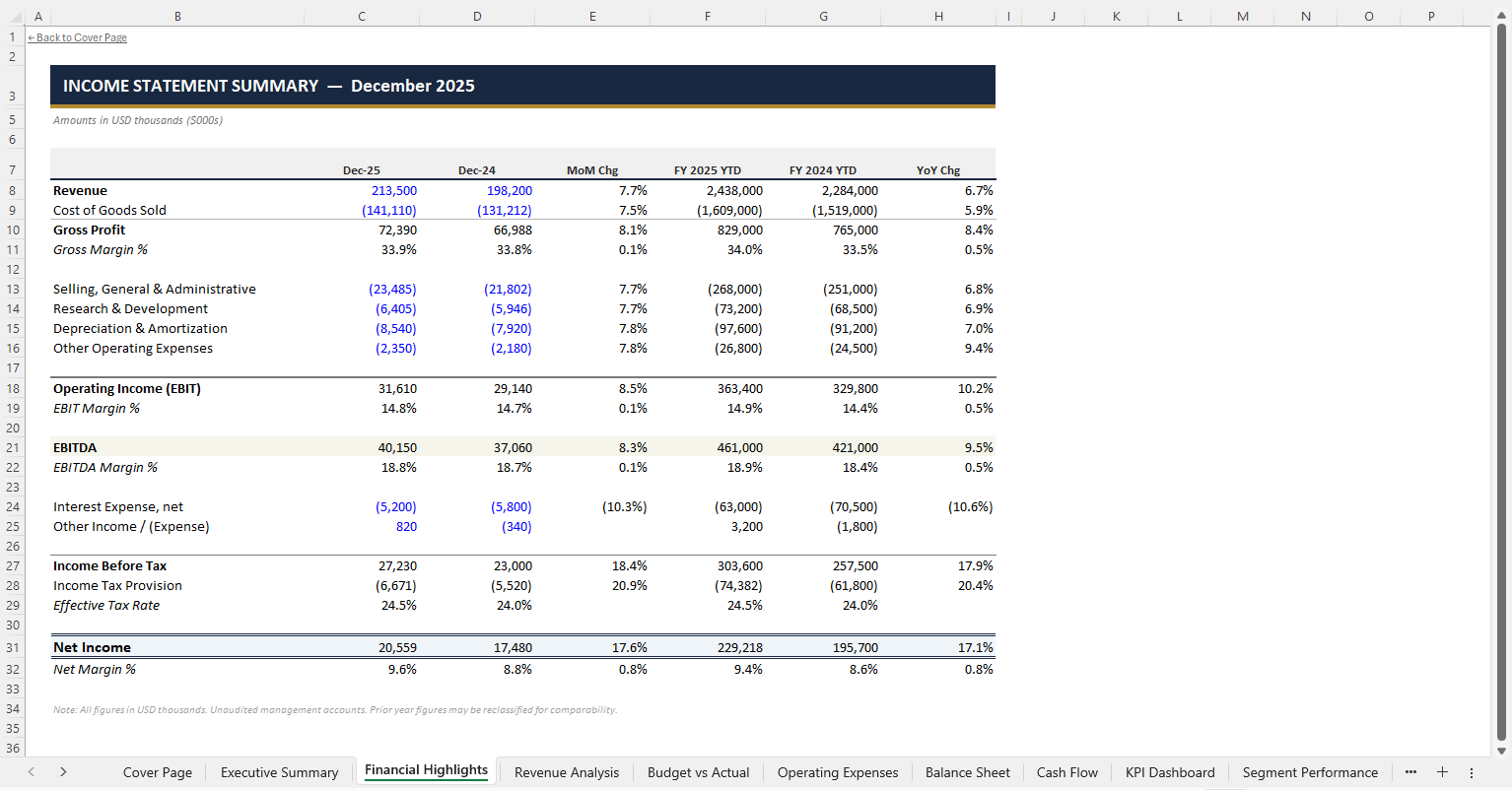
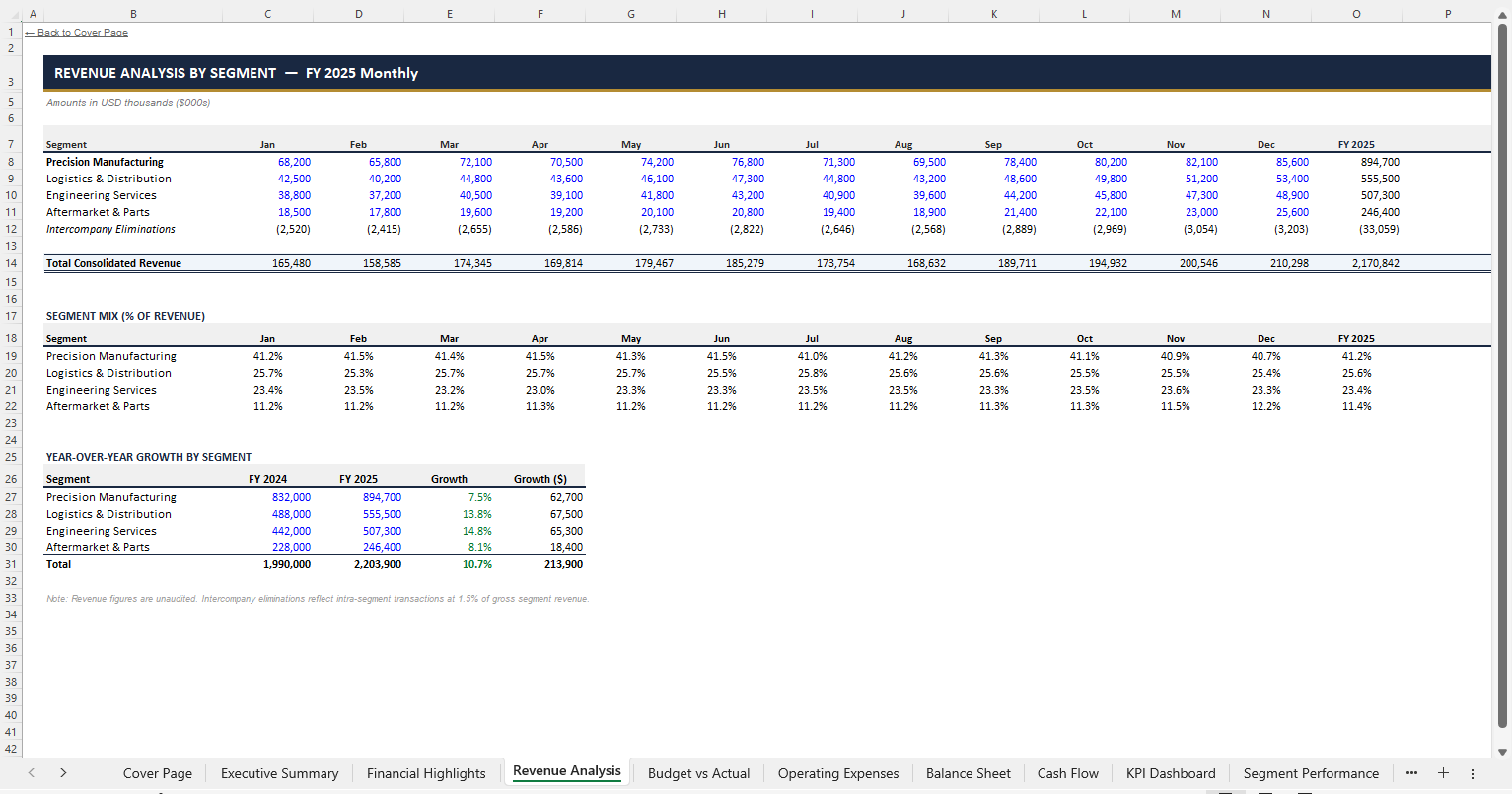
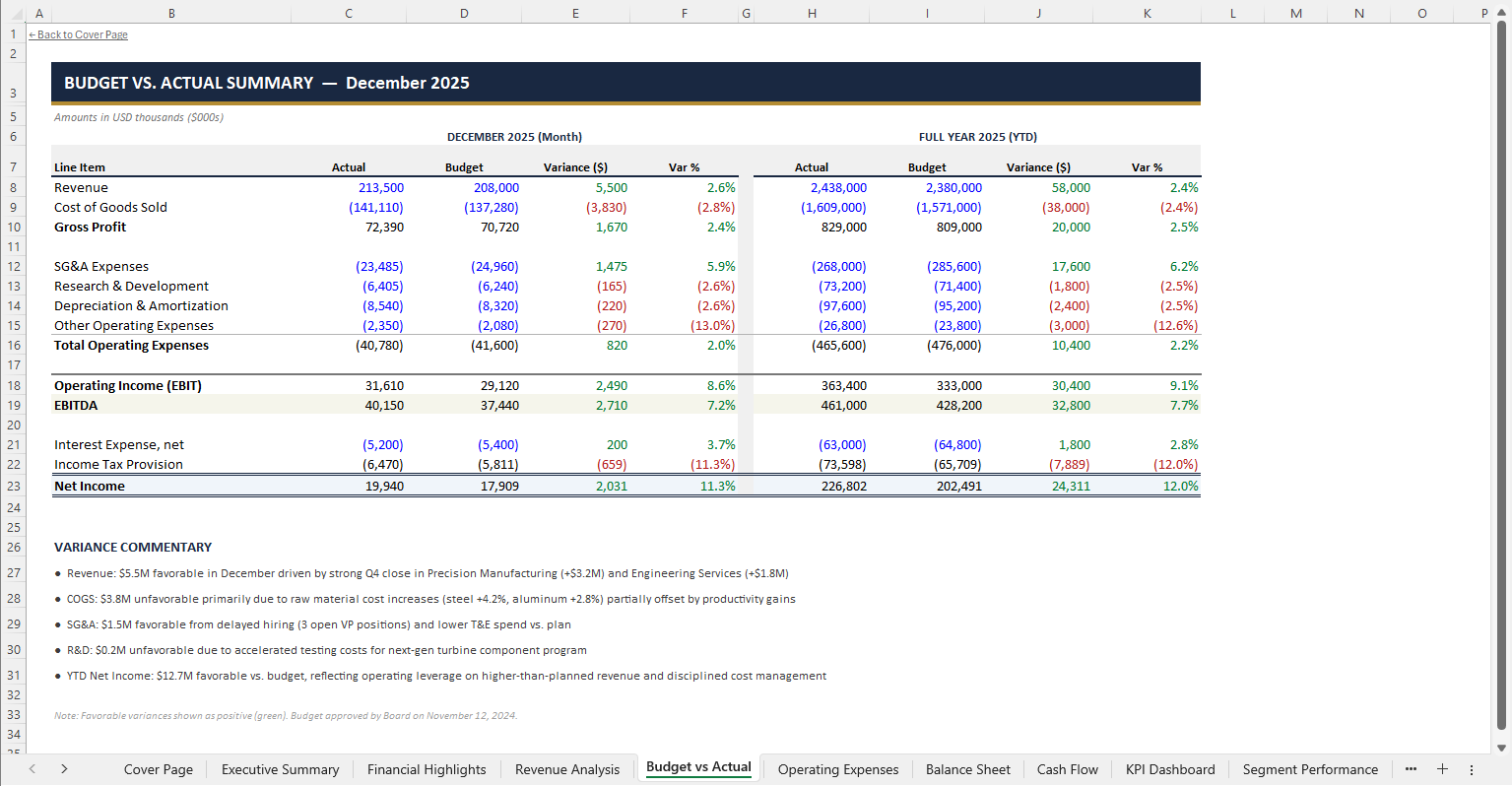
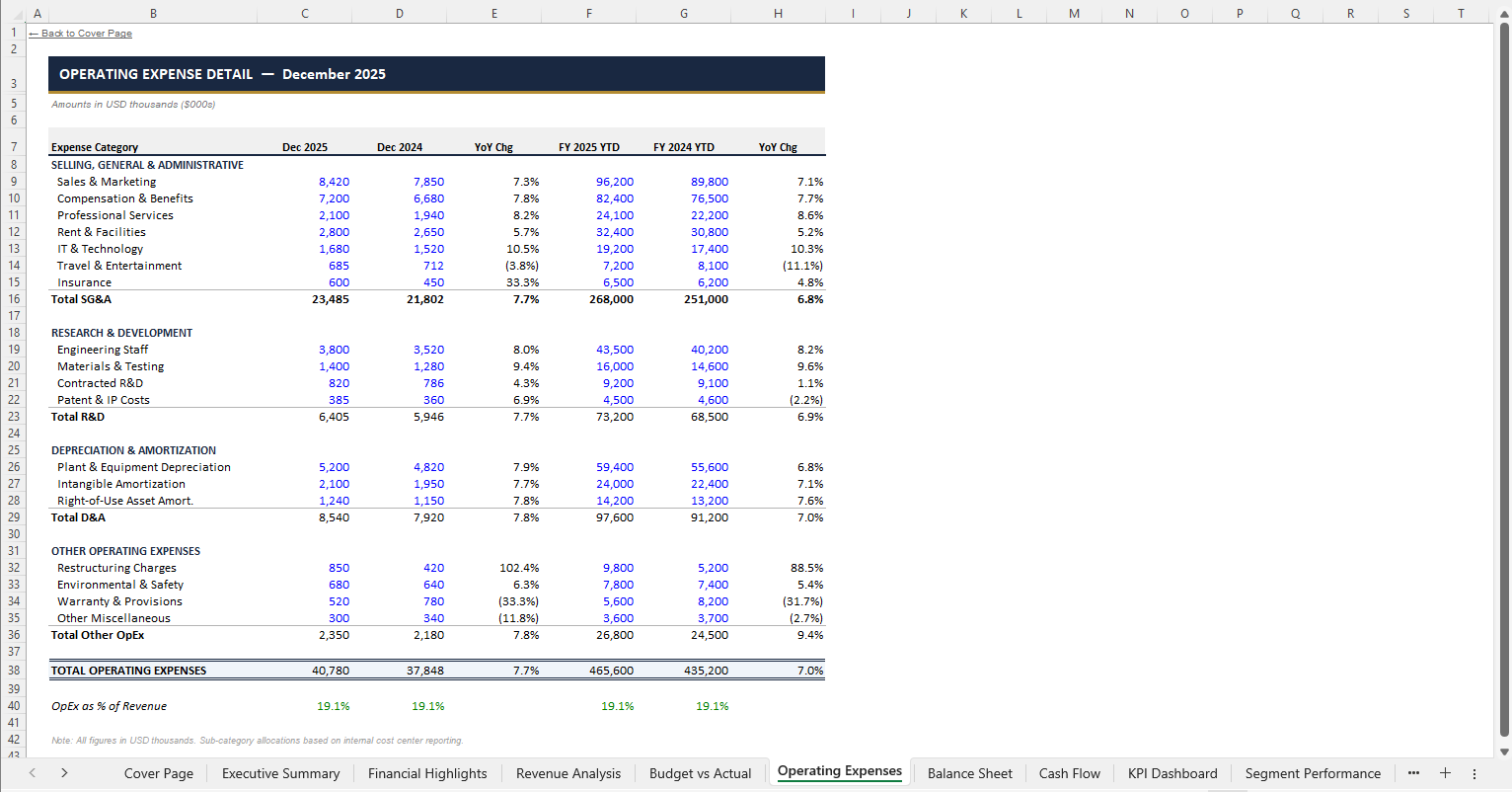
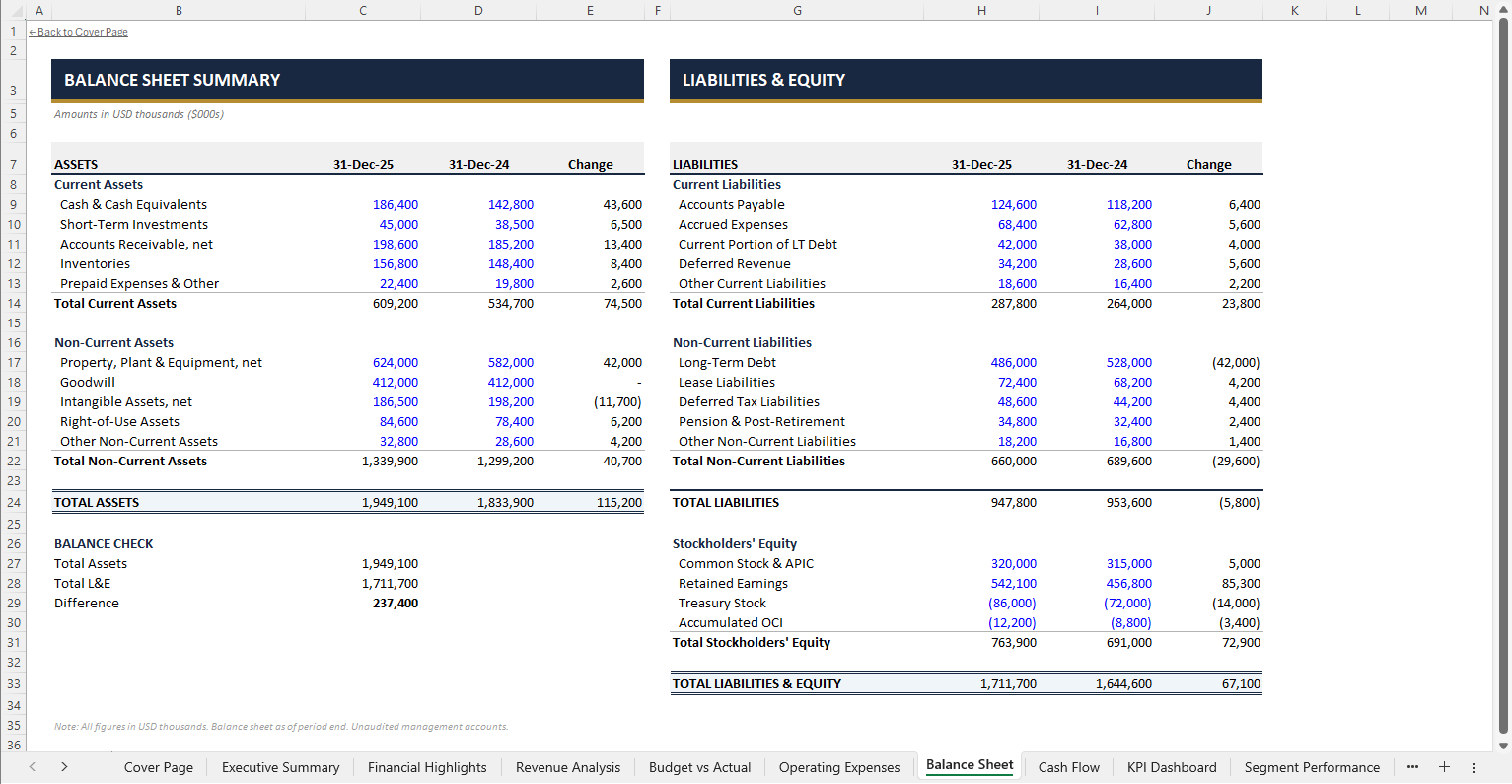
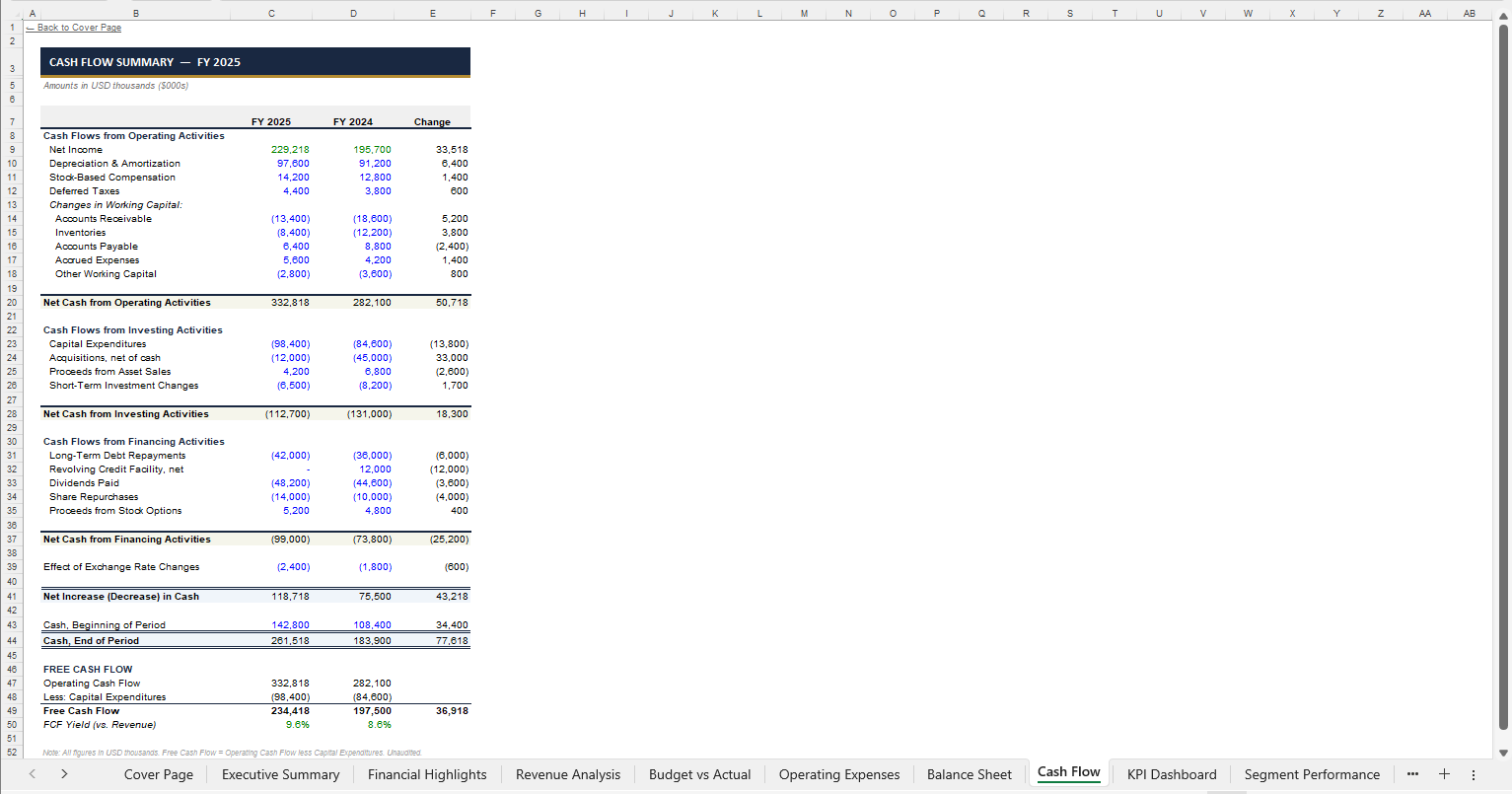
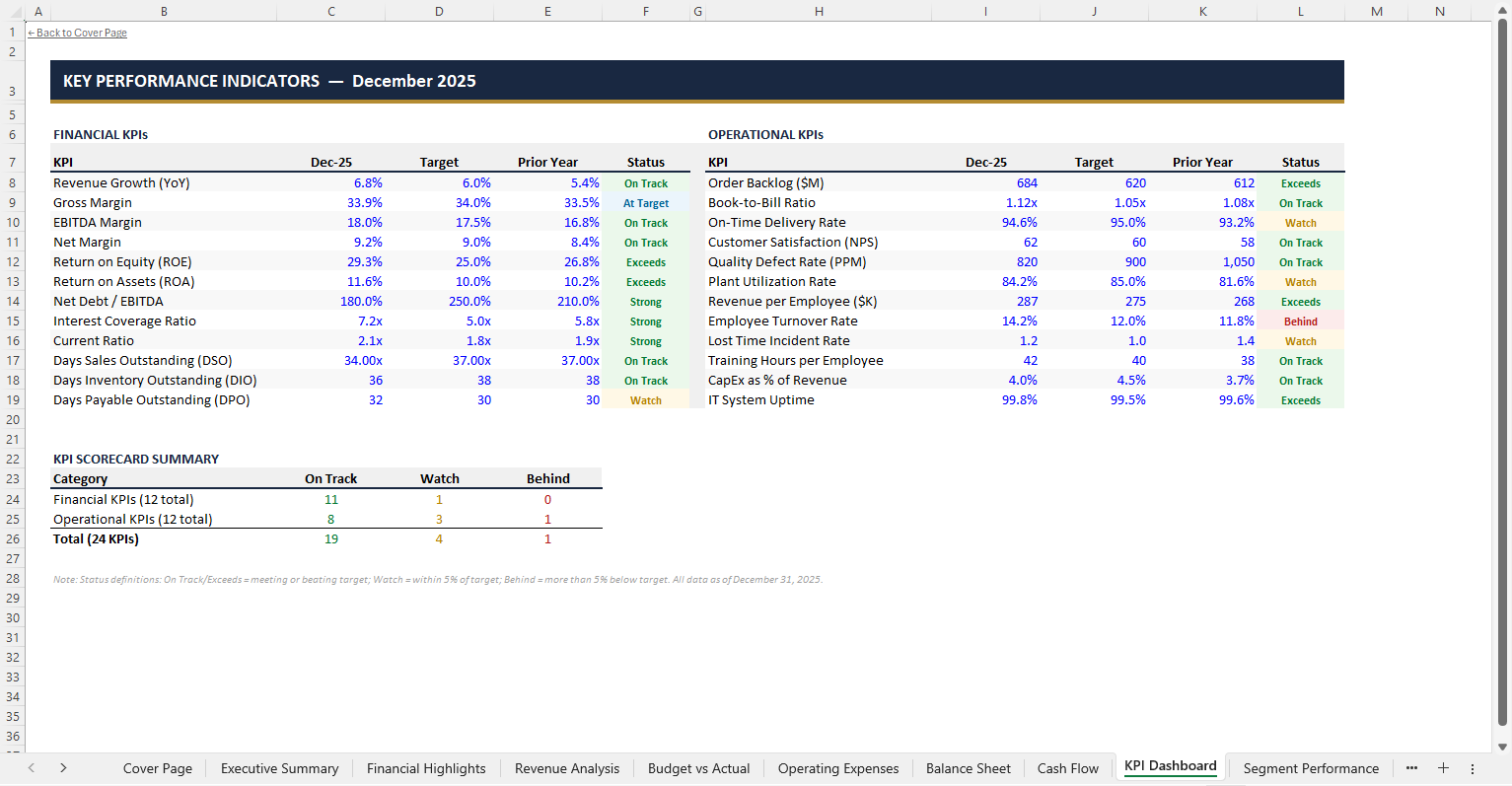
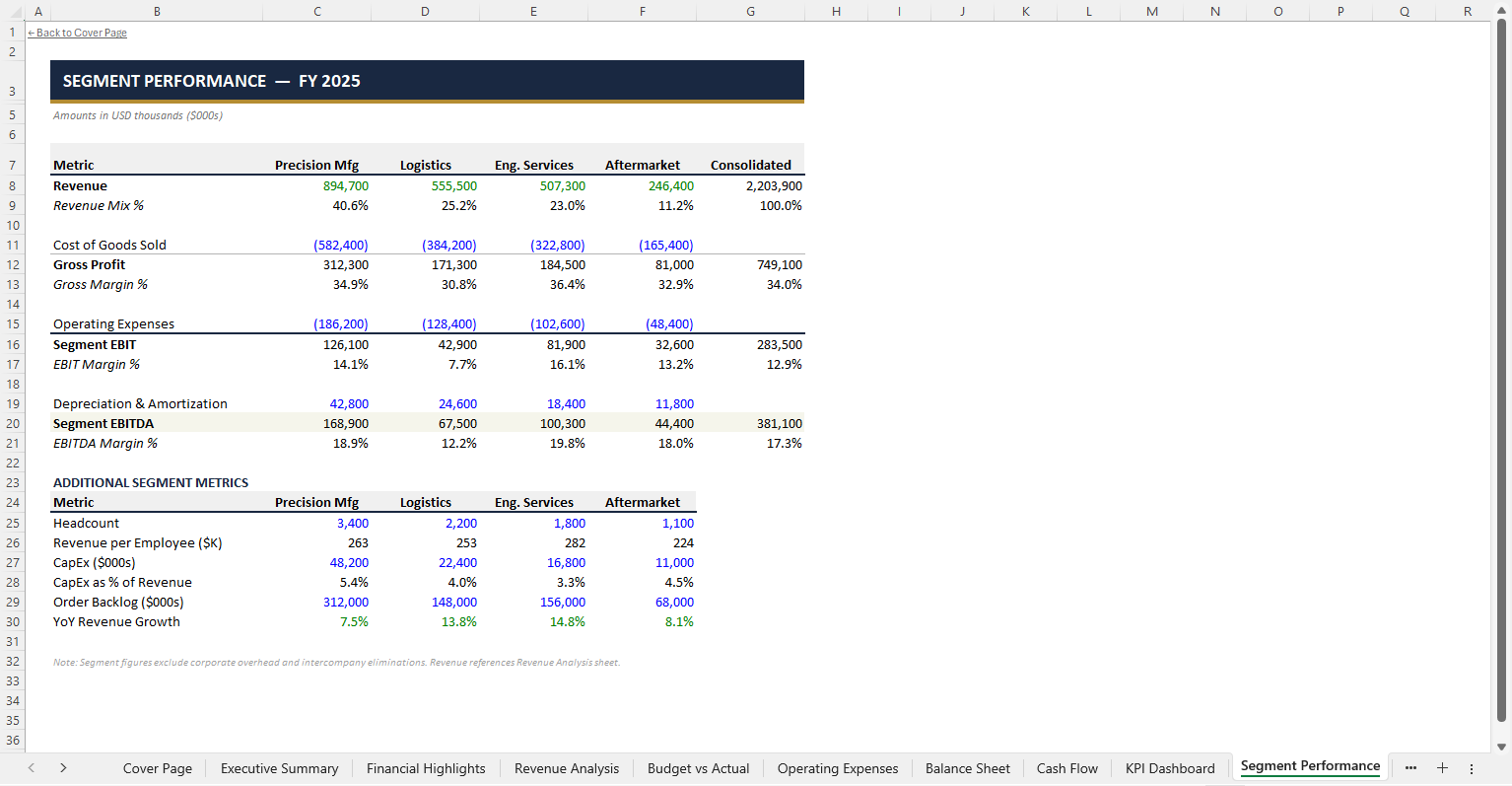
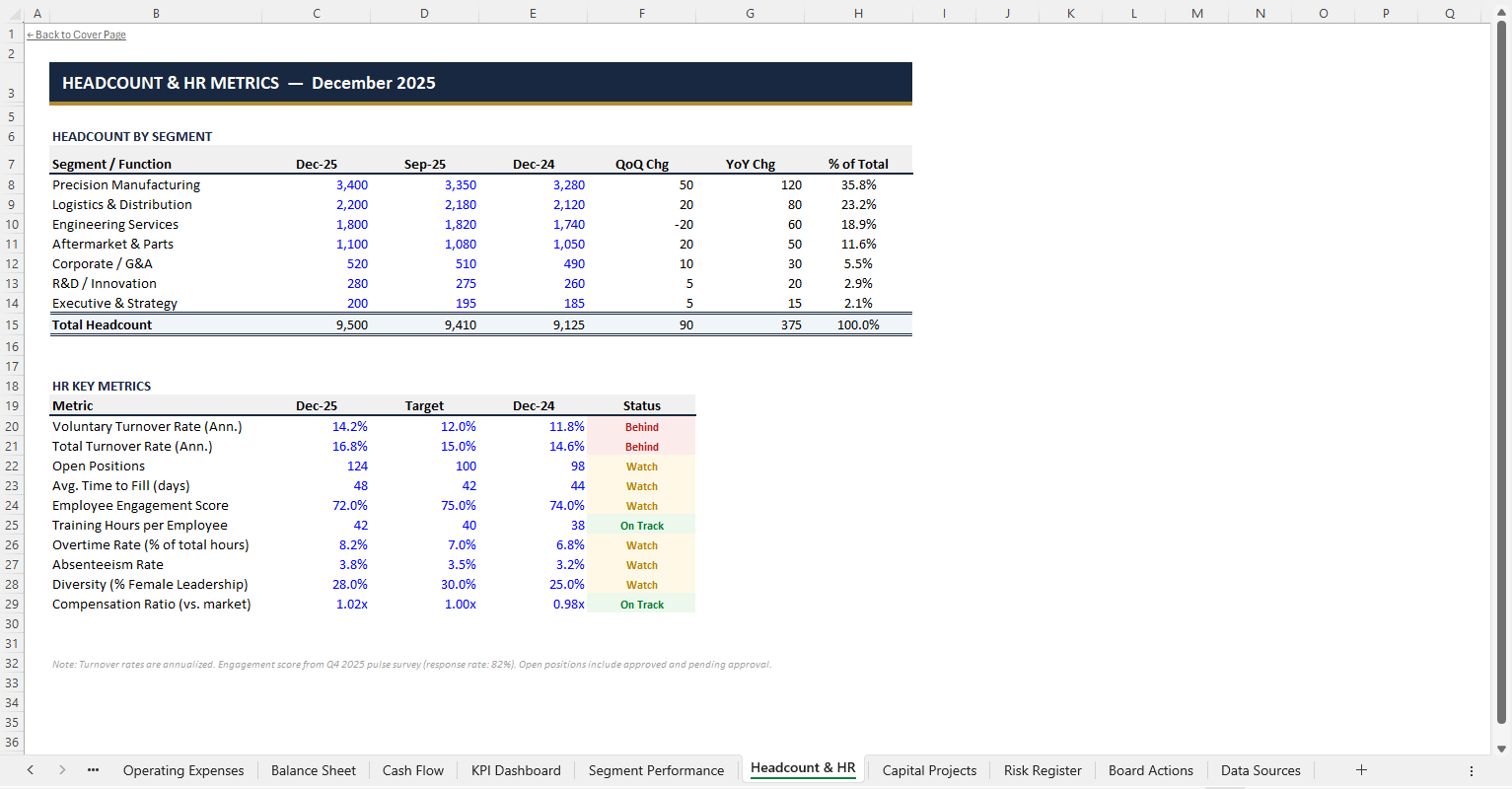
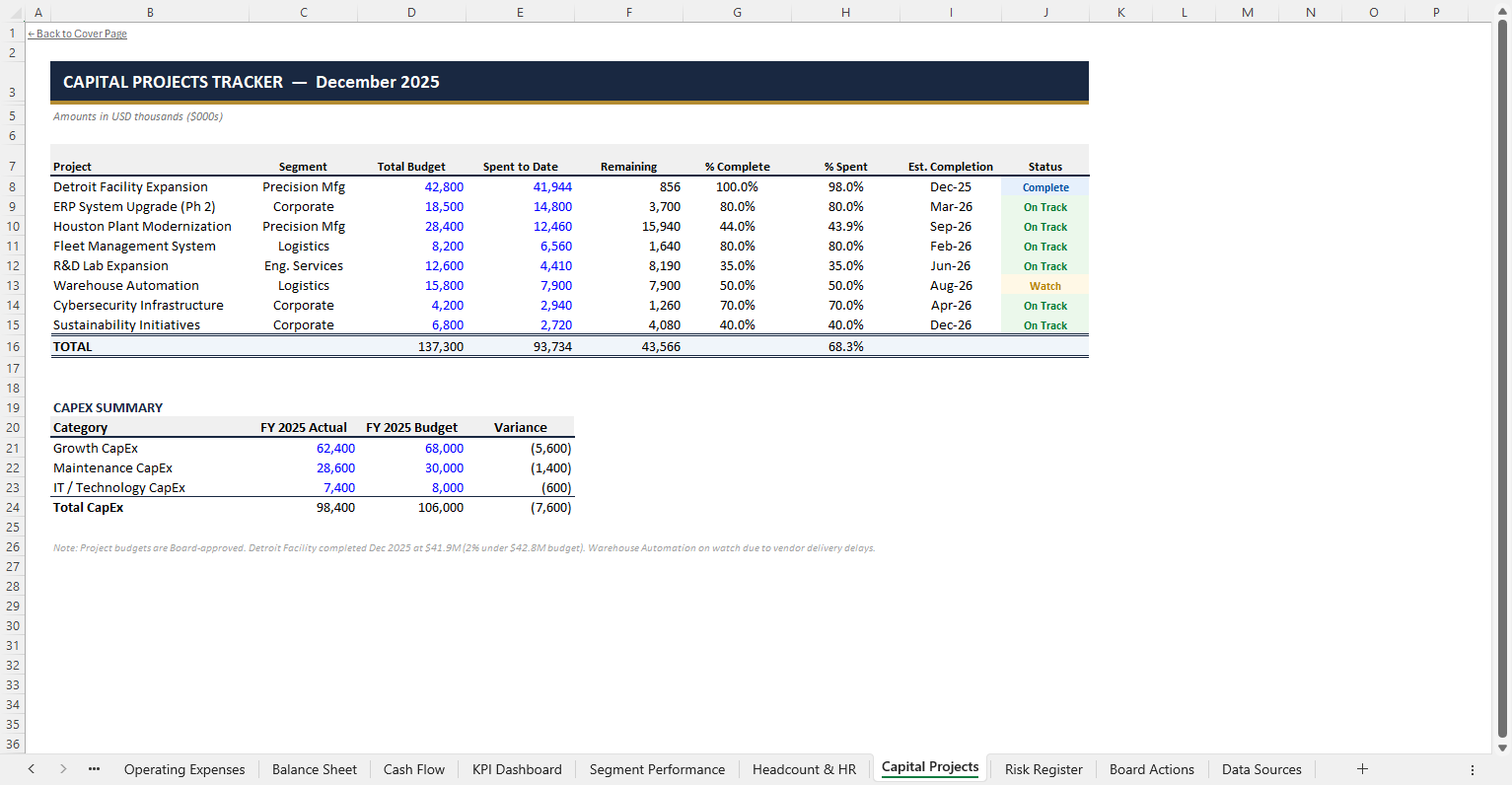
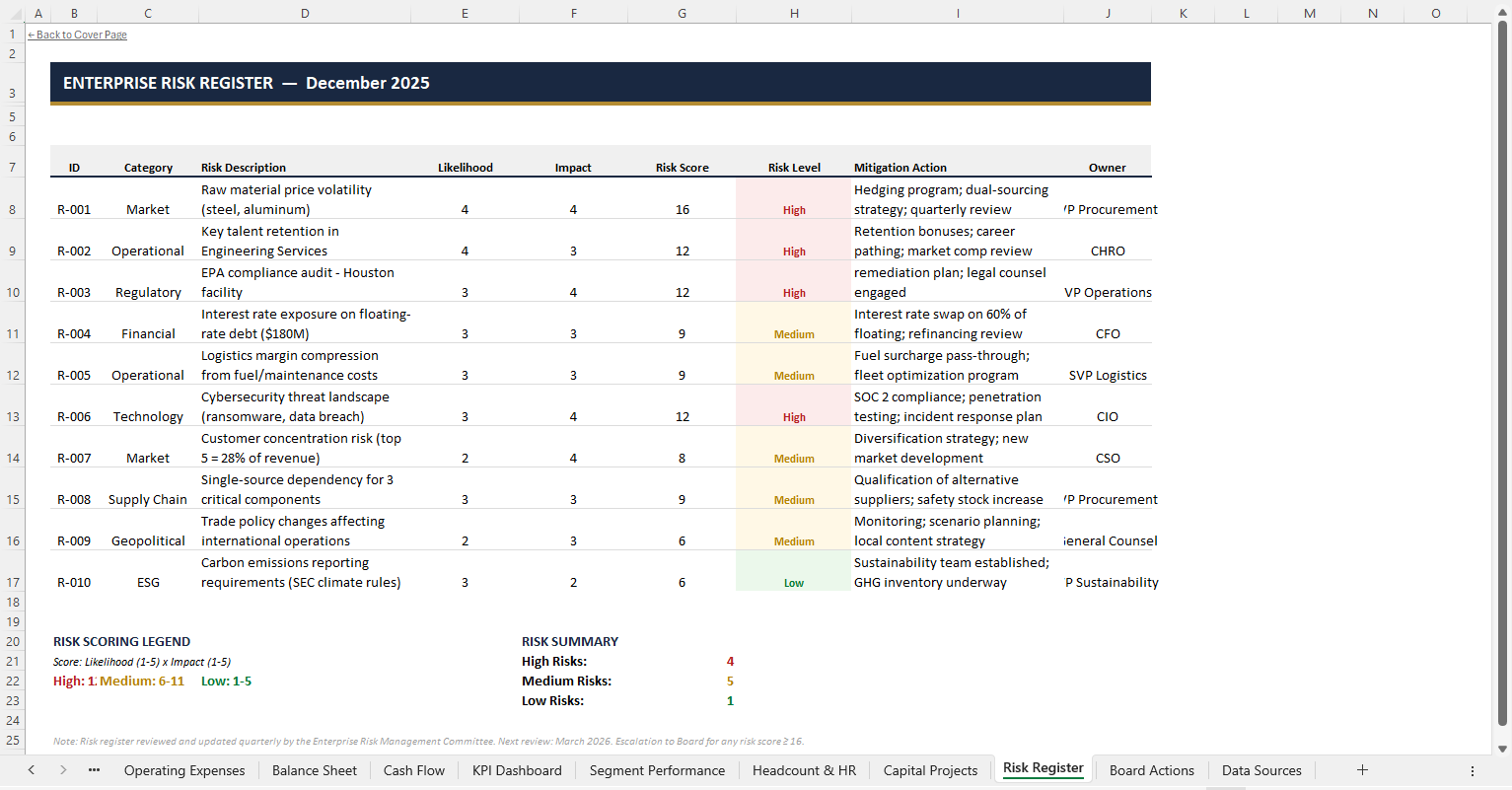
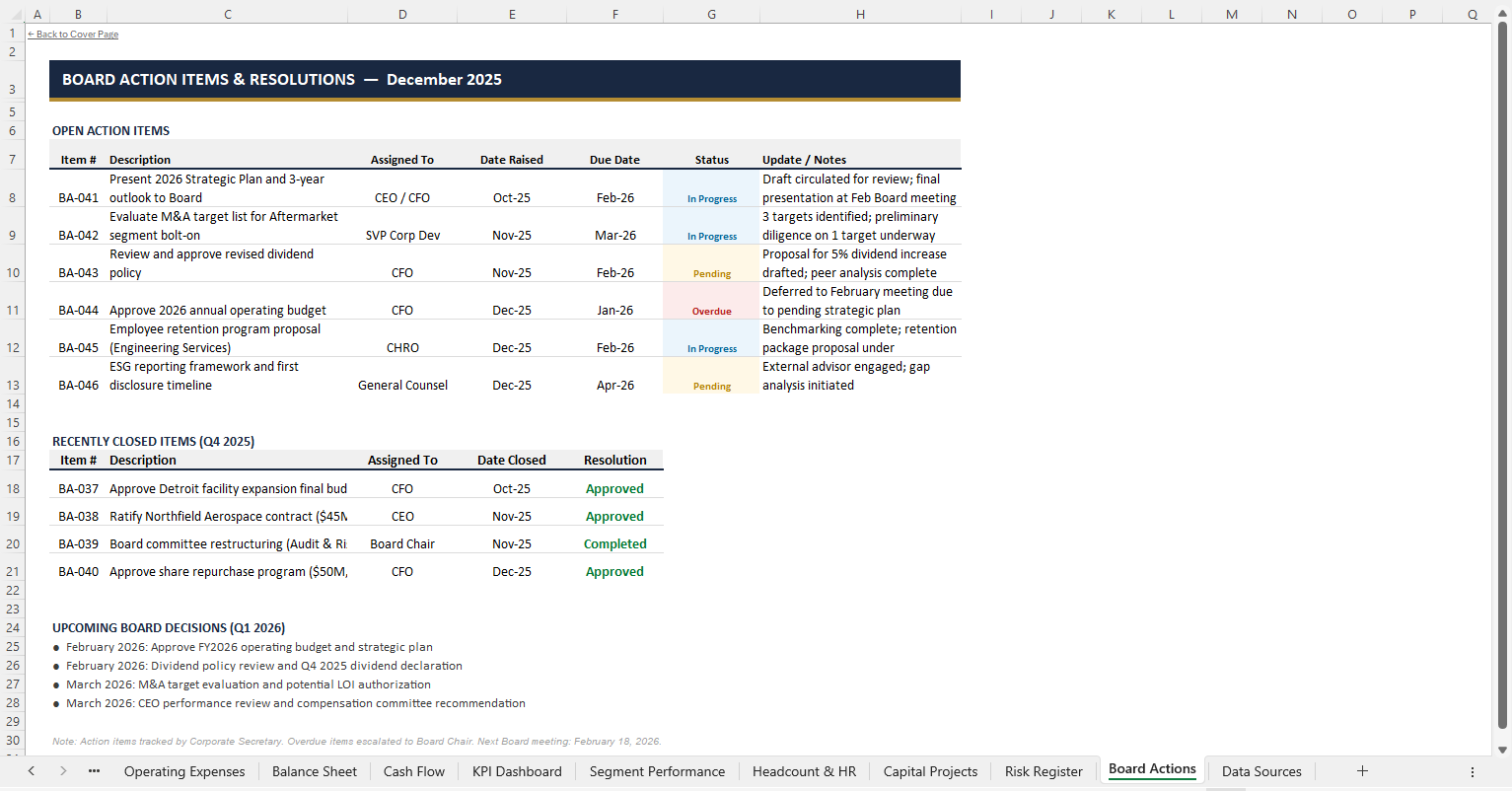
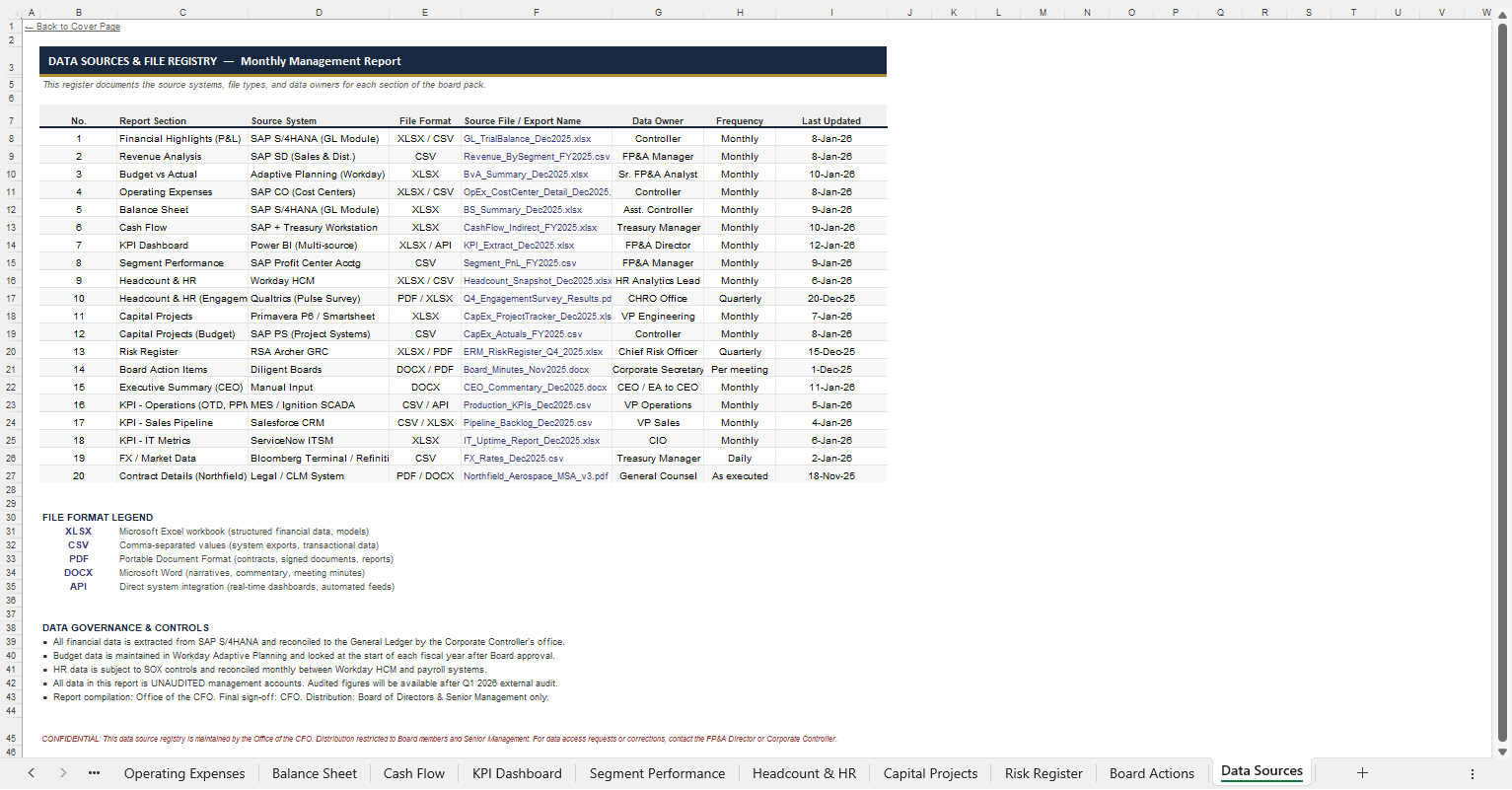
Scroll horizontally to browse all 15 worksheets
For those unfamiliar with how Viete organizes this: workflows are split into two main categories — Create New Excel and Update Existing Excel. Update Existing has two modes: append to an existing workbook, or replace data within it. For update-type workflows, you select a previous session to build on or modify — in this case, that's our monthly management report with all 12 months already completed. For a more detailed walkthrough of workflows and how to set them up, see our dedicated page on Viete Workflows.
The existing workflow was originally set up as a "Create New" workflow — meaning the agent built this entire report from scratch using 14 source files (trial balances, segment P&Ls, cash flow statements, KPI extracts, and more). Now that December is complete and the fiscal year is closed, we switch the workflow to "Update Existing — Append" and point it at the completed session. The agent receives fresh January source files and knows exactly where to continue.
Monthly Management Report for MERIDIAN NDUSTRIAL HOLDINGS
AppendUpdates Monthly Management Report for MERIDIAN NDUSTRIAL HOLDINGS based off provided source files for new month
Updates: Update the mont...
Viete handles complex requests with ease — in this case, 18 source files uploaded at once, ranging from trial balances and segment P&Ls to CEO commentary and board minutes. The agent processes all of them in a single run, cross-referencing data across files and populating every worksheet accordingly.
The video below is the full, unedited session played at original speed. For those especially curious, it's roughly 45 minutes of Viete working autonomously — reading source files, building worksheets, applying formatting, running verifications, and cross-checking data until the report is complete.
Before & After
December 2025 (before)

January 2026 (after)
